
Best Laptops for Stock Trading in India: 2026 Edition

Choosing the best laptops for stock trading in India can be a challenging task. As a trader, you need a machine that can handle live stock charts, news feeds, multiple browser tabs, and trading platforms, all without lag. Ordinary laptops may slow down when markets move fast, costing you valuable opportunities.
That’s why choosing the right trading laptop is crucial. In this guide, we’ve listed the top models that combine fast processors, reliable connectivity, and multi-monitor support to help you trade confidently.
List of the Best Laptops for Share Market Trading
Lenovo IdeaPad Slim 3
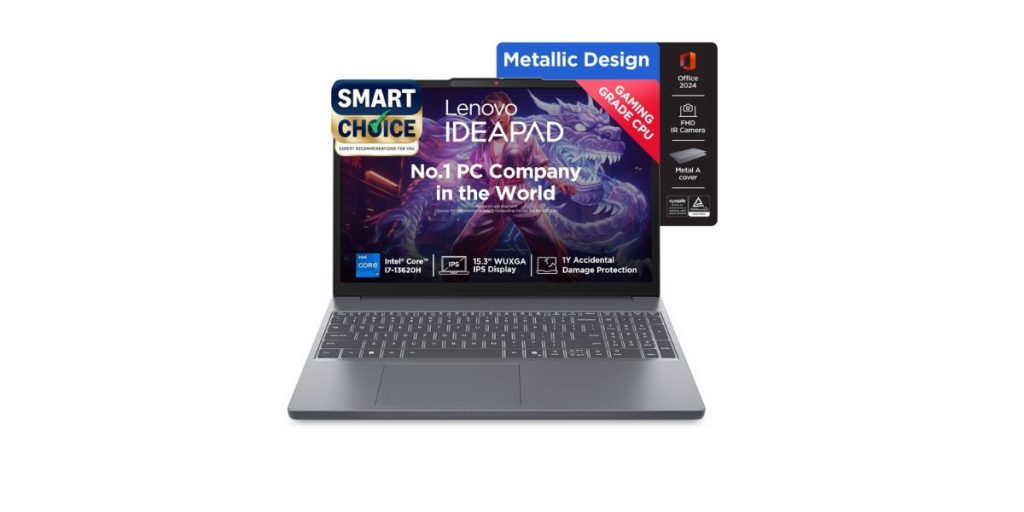
The Lenovo IdeaPad Slim 3 (83K100CGIN variant) is a mid-range laptop that strikes a balance between performance and portability, making it a solid choice for traders who want a reliable daily machine without incurring premium pricing.
What Makes It a Good Trading Laptop
- The 10-core i7 H-series CPU provides more headroom for multitasking, allowing charts, browsers, screener tools, and data feeds to run together effectively.
- Dual-channel RAM and upgradeability enable traders to scale the setup as their needs grow.
- The port selection (USB-C with DisplayPort, HDMI, and USB-A) provides the necessary external display support for dual- or triple-monitor setups.
- The display’s vertical resolution (1920×1200) gives extra space for indicator panels, order books, etc.
- A lightweight design is particularly helpful if you frequently travel or switch setups.
- Features such as a backlit keyboard, a privacy shutter, and solid build quality enhance day-to-day usability and confidence in long-term use.
Pros:
- Strong mid-range CPU
- Upgradeable RAM option
- Decent display with extra vertical space
- Rapid charge support
- Solid build quality
Cons:
- No discrete GPU
- Colour quality is average
Best For
This model is ideal for intermediate to advanced traders who require a reliable, fast laptop for managing multiple chart windows, live data, and external monitors without investing in a full workstation.
HP 14 Ryzen 5 7520U Laptop
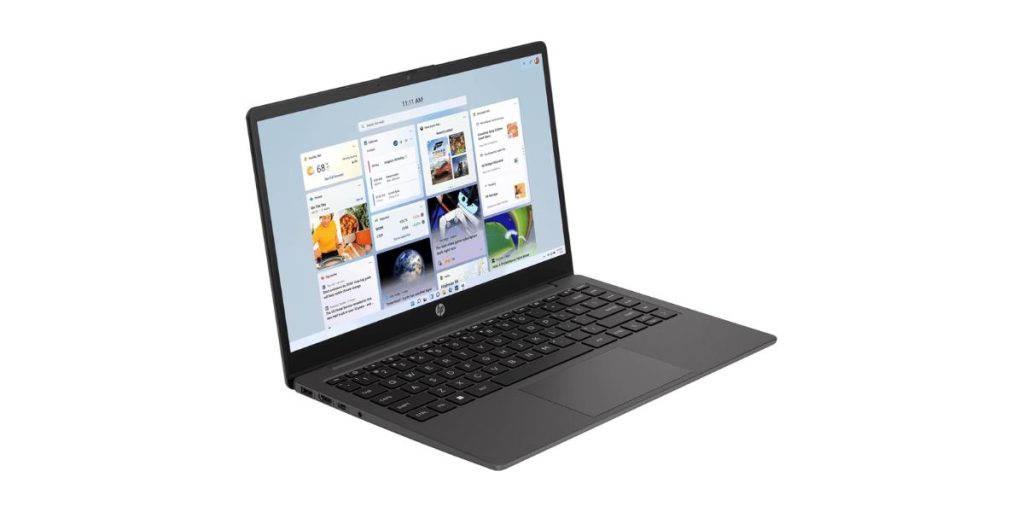
This is a lightweight, thin-and-light laptop built for everyday performance without breaking the bank. It aims to deliver sufficient power for multitasking and medium workloads, a practical option for traders who want portability and basic charting capabilities.
What Makes It a Good Trading Laptop
- The Ryzen 5 7520U (quad-core, with a boost up to ~4.3 GHz) provides sufficient processing power for running trading platforms, charts, and data streams.
- LPDDR5 memory and SSD storage ensure snappy responsiveness and fast data access.
- Ports like HDMI and USB (A and C) support external display setups — useful for extending to 2 monitors.
- The compact 14″ chassis and modest weight (~1.36 kg) make it easy to carry between trading desks or for mobile work.
- Features such as a backlit keyboard and a privacy shutter enhance everyday usability during extended sessions.
Pros:
- Efficient processor
- Fast LPDDR5 + SSD combo
- Compact and portable design
- External display support
- Backlit keys
- Privacy camera shutter
Cons:
- Only integrated graphics
- Display brightness may not be top-tier
Best For
This model is best suited for light to intermediate traders who frequently travel or switch workstations, use a moderate number of chart windows, and prioritise portability and responsiveness over extreme processing power.
Apple M4 MacBook Air
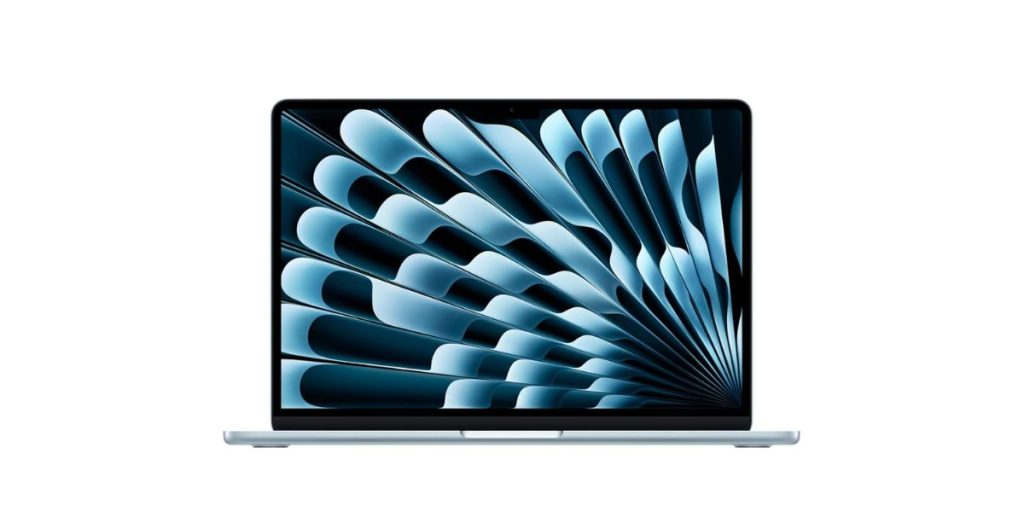
The new MacBook Air (13-inch, M4) is Apple’s latest ultraportable, combining high power with exceptional battery life in a slim design. For trading users who prefer macOS, it offers a silent, efficient, and reliable experience.
What Makes It a Good Trading Laptop
- Apple’s M4 chip delivers strong performance with efficiency cores for handling background tasks, enabling the concurrent operation of multiple trading tools.
- The unified memory architecture reduces data transfer bottlenecks, resulting in smoother performance during chart redraws and multitasking.
- The Retina display, with a 2560×1664 resolution and 500 nits of brightness, provides sharp visuals and clarity for charts and data.
- Two Thunderbolt / USB-C ports support external monitors, docks and high-speed I/O, enabling multi-display setups.
- Fanless (silent) design means no distracting noise during intense trading sessions. (MacBook Air design trait)
- Enjoy excellent battery life, allowing you to trade on the go for extended periods without needing constant charging.
Pros
- Very power-efficient performance
- Silent, fanless operation
- High-quality display
- Strong battery life
- macOS stability
Cons
- No option to upgrade memory or storage
- Limited ports with two USB-C / Thunderbolt
Best For
This model is best suited for mobile or hybrid traders who prefer the macOS ecosystem, like working silently on battery, and rely on web-based or macOS-compatible trading tools rather than highly Windows-specific software.
Acer Aspire A515-58M Laptop
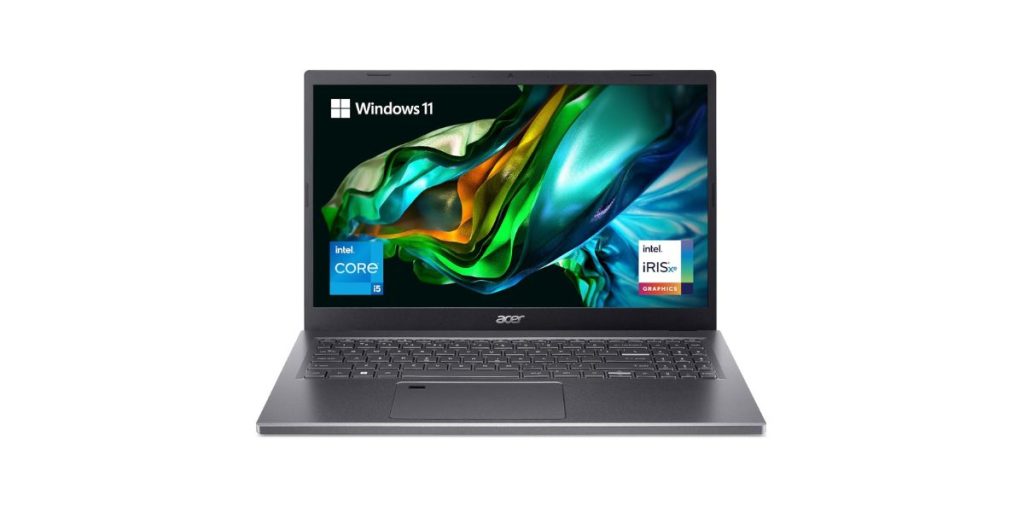
The Acer Aspire A515-58M is a mainstream 15.6″ laptop that packs decent performance, a balanced feature set, and upgrade flexibility. It’s aimed at users who want strong all-around capability without entering premium workstation territory.
What Makes It a Good Trading Laptop
- It supports multiple processor variants (i5 / i7 / etc) with modern Intel chips that can handle charting, data feeds, and concurrent applications.
- IPS display (Full HD) gives good viewing angles for charts and layouts.
- Upgradeable SSD & memory paths (expandable) enable users to scale performance as trading demands increase.
- A decent port selection (USB-A, USB-C, HDMI) enables the connection of external monitors, peripherals, and docks.
- Solid battery options and reasonable weight (for its class) make it usable for semi-mobile setups.
Pros:
- Modern Intel U/H series chips
- IPS Full HD display
- Upgradeability (SSD, RAM)
- Flexible connectivity
- Balanced value/feature set
Cons:
- Graphically heavy tasks will be limited
- Standard refresh rate (60 Hz)
- Under bright ambient light
Best For
This model is ideal for intermediate traders who require a reliable, upgradeable machine capable of managing multiple charts, data feeds, and external monitors without straying into premium workstation territory.
ASUS Zenbook 14 Laptop
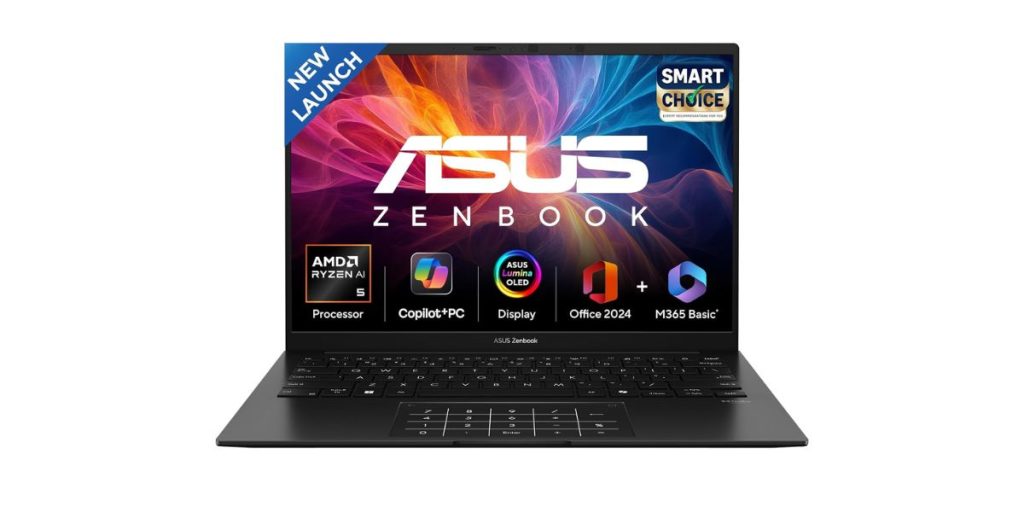
The ASUS Zenbook 14 OLED (UM3406KA-PP240WS) is a sleek, ultra-portable laptop that blends modern performance, a high-resolution OLED display, and AI-enhanced features. It’s one of the more premium “thin & light” options suited for traders.
What Makes It a Good Trading Laptop
- Features AMD Ryzen AI 5 340 (6 cores / 12 threads) with an onboard NPU (50 TOPS) for handling AI/background tasks alongside trading loads.
- 16 GB of LPDDR5X memory and a 512 GB NVMe PCIe 4.0 SSD ensure fast, responsive multitasking and data access.
- The stunning 14″ 3K (2880×1800) OLED display, with a 16:10 aspect ratio and 120 Hz refresh rate, delivers clarity, contrast, and smooth redraws.
- Ample ports: USB-C with DisplayPort / power delivery, USB-A, HDMI 2.1, helpful for external monitor setups.
- Its lightweight build (~1.20 kg) and slim design make it very portable for switching desks/trading on the go.
- Good thermal design and passive cooling in idle; lift hinge/airflow design to maintain performance under load.
Pros
- Excellent display quality
- Strong performance for trading
- Lightweight & portable
- Modern connectivity
- Premium build & features
Cons
- No discrete GPU
- Memory is soldered
- Battery life may decline
Best For
This model is ideal for traders who value portability and display quality, and want a premium, future-ready machine that handles multiple chart windows, live data feeds, and external monitor setups in a slim form factor.
HP Spectre x360 Laptop
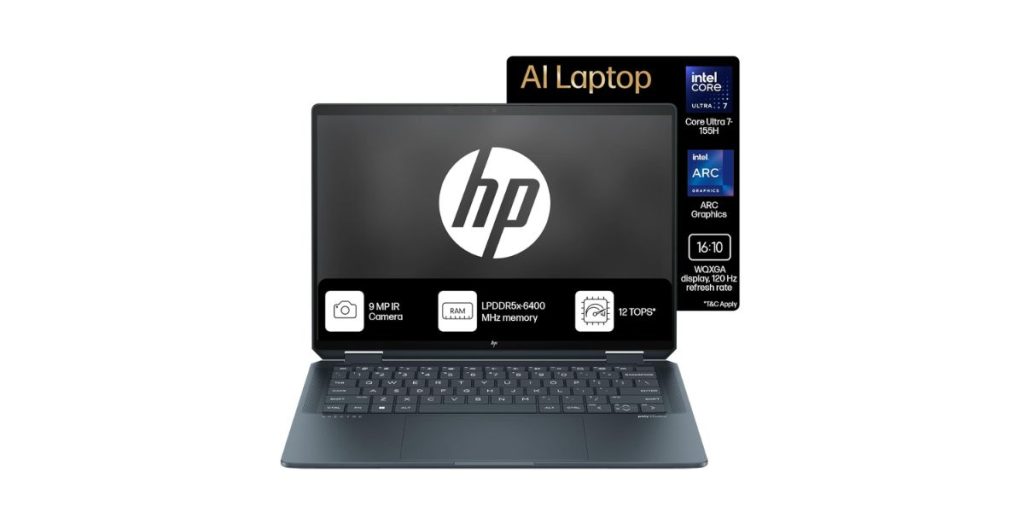
The HP Spectre 16 (aa0015TU) is a premium 2-in-1 convertible laptop aimed at power users and creatives. It boasts high-end specs in a sleek chassis, combining a large screen, convertible design, and modern internals all in one.
What Makes It a Good Trading Laptop
- Equipped with a powerful processor (Intel Core Ultra / latest gen) that can juggle multiple trading platforms, chart windows, and data feeds.
- LPDDR5x memory ensures high bandwidth and responsiveness in multitasking.
- Generous display size (16″) offers a wide view area for multiple charts, indicators, and market data.
- The convertible 2-in-1 design allows for flexible working modes (laptop, tent, tablet), making it useful for varied setups or on-the-go analysis.
- Strong port and connectivity options (Thunderbolt / USB-C / USB-A / HDMI) support external monitors and peripherals.
Pros
- Excellent processing horsepower
- Convertible flexibility
- Modern connectivity and ports
- Premium build quality
- Good battery efficiency
Cons
- Battery life may drop significantly
- Higher cost compared to other laptops
Best For
The Spectre 16 is best suited for advanced traders and power users who require a high-performance, versatile machine with ample screen real estate and convertible flexibility, ideal if you also engage in visual or creative work alongside trading.
Dell Inspiron 15 Laptop
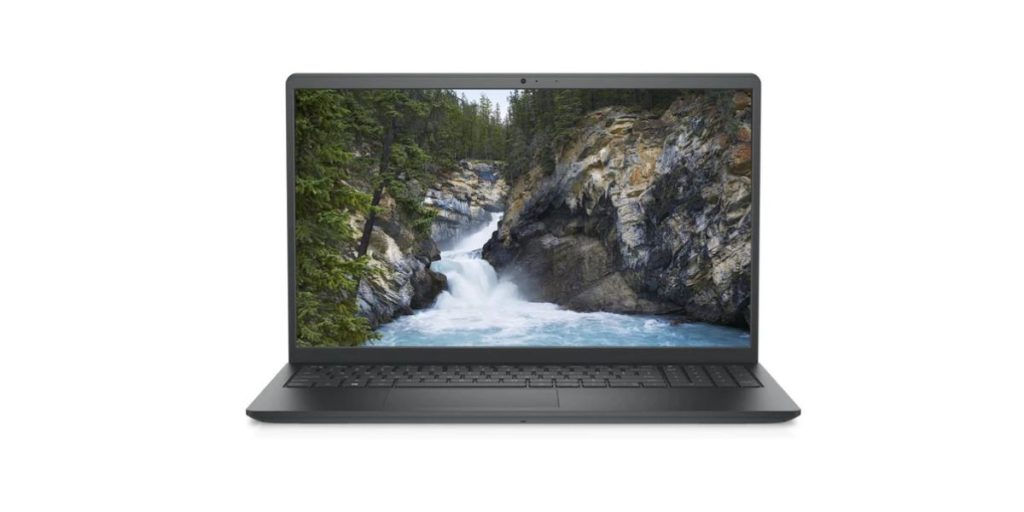
The Dell Inspiron 15 (12th Gen, i3-1215U) is a budget-to-mid-segment laptop designed for users who need solid everyday performance. It provides a basic yet workable foundation for charting, data feeds, and multitasking without incurring the expense of high-end gear.
What Makes It a Good Trading Laptop
- The Intel Core i3-1215U (12th Gen) with hybrid architecture offers enough cores/threads to handle essential trading tools and browser windows.
- Comes with 16 GB RAM (as advertised) and SSD storage, which facilitates smooth multitasking and rapid data access.
- Port selection (USB, HDMI) supports connection to external monitors, enabling a dual-display setup for viewing charts & data side by side.
- The standard 15″ display provides sufficient screen real estate for charting interfaces without being overly bulky.
- Dell’s build quality and support ecosystem provide reliability and peace of mind for daily usage.
Pros
- Decent entry-level CPU
- Generous RAM (16 GB)
- Connect external displays
- Good value for money
- Trusted brand support
- Budget-friendly choice
Cons
- No discrete GPU
- Display may be basic
Best For
This Dell Inspiron model is ideal for beginner to intermediate traders who are building their trading setup, want reliable performance under budget constraints, and don’t yet require high-end specs or heavy graphical performance.
ASUS Vivobook 16X Laptop
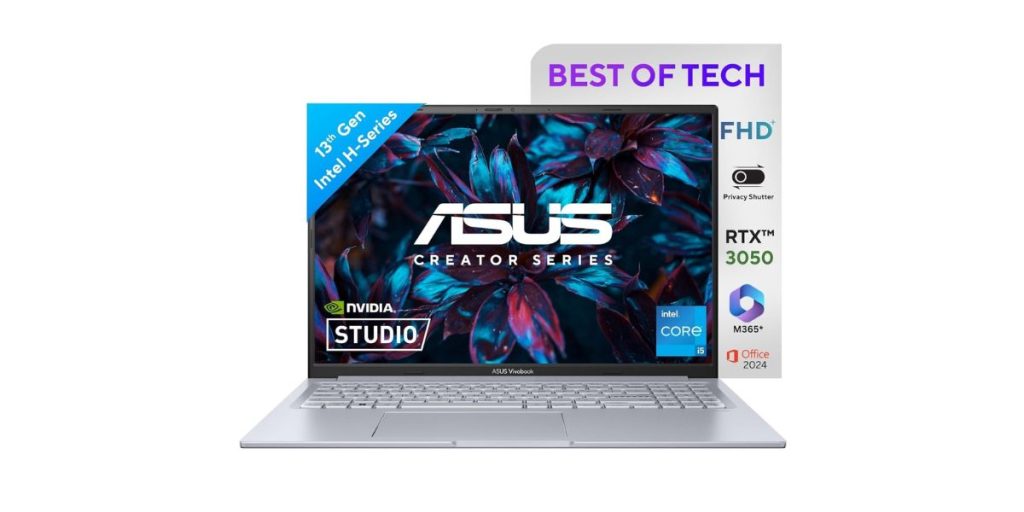
The ASUS Vivobook 16X (K3605VC-RP413WS) is a performance-oriented 16-inch laptop that leans toward the creator/gaming side with a discrete GPU and capable internals. It is one of the best laptops for stock trading in India, offering more than just basic specs.
What Makes It a Good Trading Laptop
- Equipped with Intel Core i5-13420H (8 cores / 12 threads), sufficient to run multiple trading tools, live feeds, and charts concurrently.
- Has a 4 GB NVIDIA GeForce RTX 3050 GPU, which adds graphical horsepower for demanding visualisations or overlays.
- 16 GB RAM (8 GB onboard + 8 GB SO-DIMM) with an upgrade path up to 24 GB via the extra slot.
- 512 GB NVMe SSD (PCIe 4.0) gives fast read/write speeds for data, logs, and charts.
- Display: 16″ WUXGA (1920×1200) with 16:10 aspect ratio, 144 Hz refresh, 300 nits brightness.
- Port & connectivity support: likely USB-C with DisplayPort, HDMI, etc., enabling connection to external monitors. (ASUS site mentions full I/O)
Pros
- Extra visuals / rendering headroom
- Good RAM configuration
- High refresh rate
- Large 16″ screen
- Balanced specs
Cons
- Display brightness is average
- Limits full flexibility
- Battery life is not great
Best For
This model is best for advanced/semi-professional traders who use overlays, visual tools, or charting that benefit from a discrete GPU, while still running multiple data feeds, charts, and external monitors.
How to Choose the Best Laptop for Trading Stocks?
Picking the right trading laptop isn’t about buying the most expensive model — it’s about choosing a machine that can handle real-time market data, charts, and trading platforms smoothly. Here’s what to check before you buy:
Processor (CPU): Go for Speed & Stability
Trading platforms or advanced charting tools require a fast processor to run multiple applications simultaneously.
- Minimum: Intel i5 (11th Gen or newer) / AMD Ryzen 5
- Recommended: Intel i7/i9 (12th Gen or newer) / Ryzen 7 or higher
Faster CPUs help you open charts instantly and execute orders without lag.
RAM: For Multitasking Without Freezes
More RAM means your laptop won’t slow down when you have trading apps, browsers, and data feeds open.
- Minimum: 8 GB
- Recommended: 16 GB or 32 GB (for heavy day trading with multiple screens)
Storage (SSD): Quick Load & Smooth Performance
Always pick SSD over HDD. NVMe SSDs are even faster.
- Minimum: 256 GB SSD
- Recommended: 512 GB or 1 TB NVMe SSD
Display: Clarity & Screen Space Matter
Charts and indicators appear more clearly on high-resolution displays. A bigger screen or external monitor support also helps.
- Minimum: Full HD (1920×1080)
- Recommended: 15.6″+ screen, or support for dual external monitors
Ports & Connectivity: For Multi-Monitor Setups
Day traders often use two or more screens. Check for HDMI, DisplayPort, or USB-C with display output.
- Look for at least 2 video outputs (HDMI/USB-C)
- Ethernet port or Wi-Fi 6/6E for stable internet
Battery Life: Not Always Top Priority but Handy
Most traders use laptops that are plugged in, but if you travel or work remotely, opt for a battery that lasts 6–8 hours or more.
Cooling System: Keeps Performance Steady
Long trading sessions generate heat. Laptops with dual fans or good airflow avoid performance throttling.
Build Quality & Reliability
If you trade daily, opt for a solid, well-built machine with a comfortable keyboard and trackpad/trackpad comfort and durability (e.g., ThinkPad, XPS, MacBook).
Comparison Table for the Best Laptops for Traders in India
| Laptop Models | CPU / Cores | RAM / Storage | Display / Refresh Rate | Best Use Case |
| Lenovo IdeaPad Slim 3 | i7-13620H (10 cores) | 8 + 8 GB DDR5 / 512 GB SSD | 15.3″ WUXGA (1920×1200) | Balanced mid-level trading setups |
| HP 14 (Ryzen 5 7520U) | Ryzen 5 7520U (4 cores) | LPDDR5 8 GB / SSD | 14″ FHD | Lightweight / budget trading |
| Apple MacBook Air 13 (M4) | M4 (10-core unified) | Unified memory (fixed) / SSD | 13.3″ Retina (~500 nits) | Mac-centric, mobile trading |
| Acer Aspire A515‑58M | 13th Gen Intel (i5 / i7 options) | (Upgradable) RAM + SSD | 15.6″ FHD IPS | Value all-rounder |
| ASUS Zenbook 14 OLED | Ryzen AI 5 340 (6 cores) | 16 GB LPDDR5X / 512 GB SSD | 14″ 3K OLED, 120 Hz | Portability + display focus |
| HP Spectre x360 16 | Core Ultra 7 155H (16 cores) | 16 GB LPDDR5x / 1 TB SSD | 16″ WQXGA, variable refresh (48-120 Hz) | Premium convertible / large screen setups |
| Dell Inspiron 15 | Core i3-1215U (12th Gen) | 16 GB / SSD | 15″ FHD | For traders needing a discrete GPU + visuals |
| ASUS Vivobook 16X | i5-13420H (8 cores) | 16 GB (onboard + slot) / 512 GB SSD | 16″ WUXGA, 144 Hz | For traders needing discrete GPU + visuals |
Final Words
Trading requires precision, speed, and reliability and the device you trade on matters as much as your strategy. The best laptops for trading in India strike the ideal balance of performance and stability, enabling traders to keep pace with fast-moving markets. Use our guide to select the machine that suits your workflow and budget, allowing you to trade confidently and without interruption.
FAQs
Which is the best laptop for trading?
Top picks include the Lenovo IdeaPad Slim 3 for value, the ASUS Vivobook 16X for power with a GPU, and the MacBook Air M4 for macOS users.
Can we do trading on a laptop?
Yes. A good laptop with a fast CPU, sufficient RAM, SSD storage, and support for external monitors is ideal for stock trading.
What is best for trading, a laptop or a PC?
A desktop PC gives more power and upgrade options, but a laptop is better if you need portability or to work while travelling.
How much RAM is good for trading?
At least 8 GB is recommended for casual trading; 16 GB or more is recommended for day traders who use multiple charts, tools, and monitors.
Do I need a graphics card (GPU) for trading?
No. Most trading platforms don’t need a GPU. A discrete GPU is only beneficial if you utilise advanced visual tools or multiple high-resolution monitors.
Prices are subject to change*



![LCD TV vs LED TV: Complete Comparison for Buyers [2026 Guide]](https://asset7.ckassets.com/blog/wp-content/uploads/sites/5/2025/04/LCD-TV-vs-LED-TV-1.jpg)